Overview
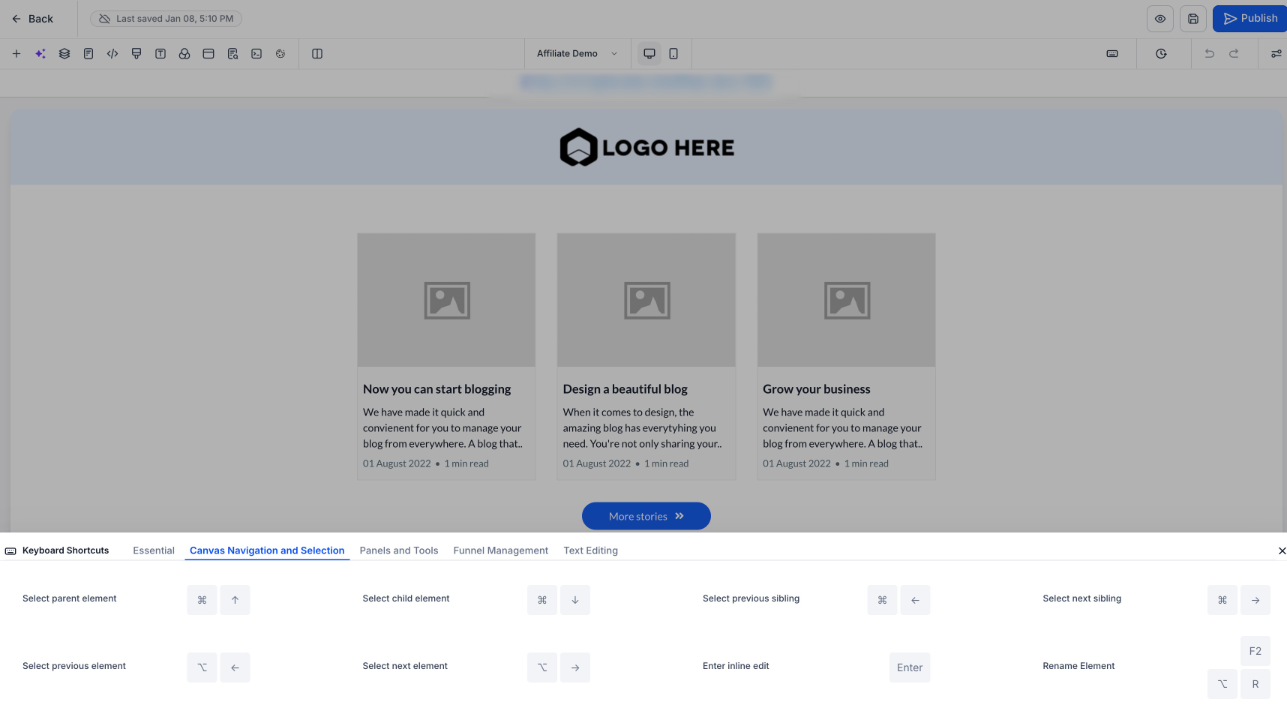
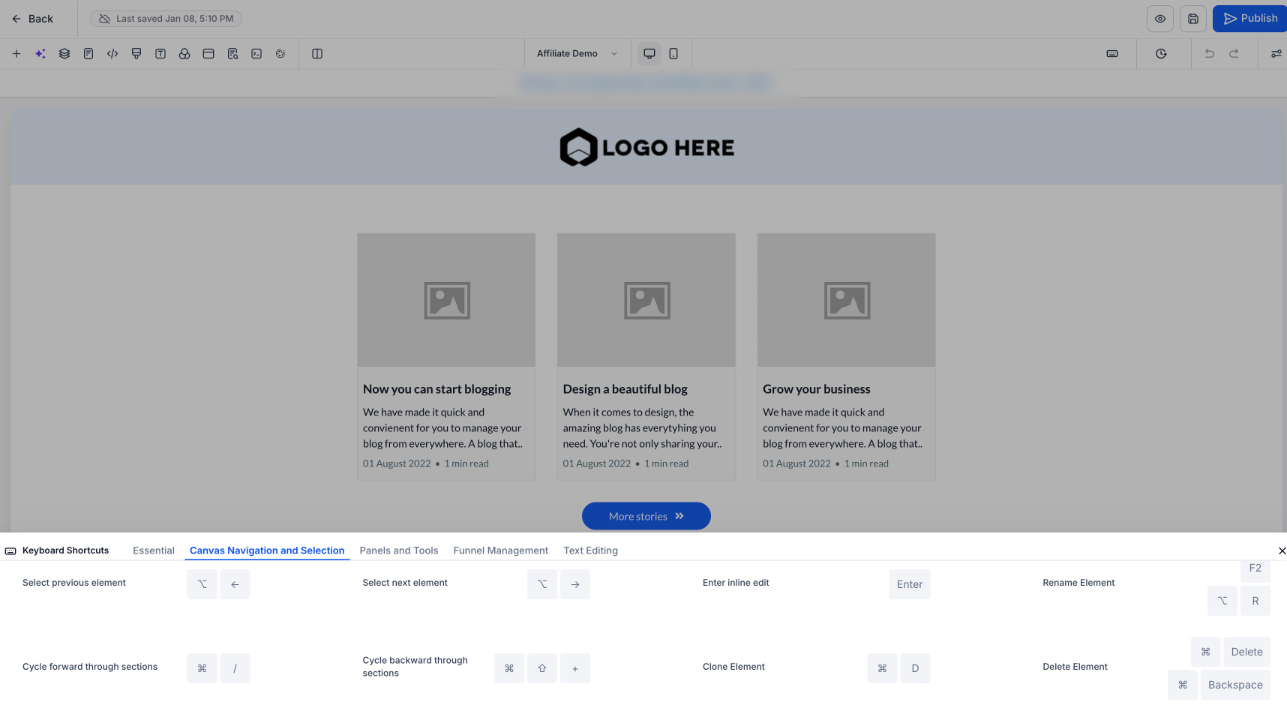
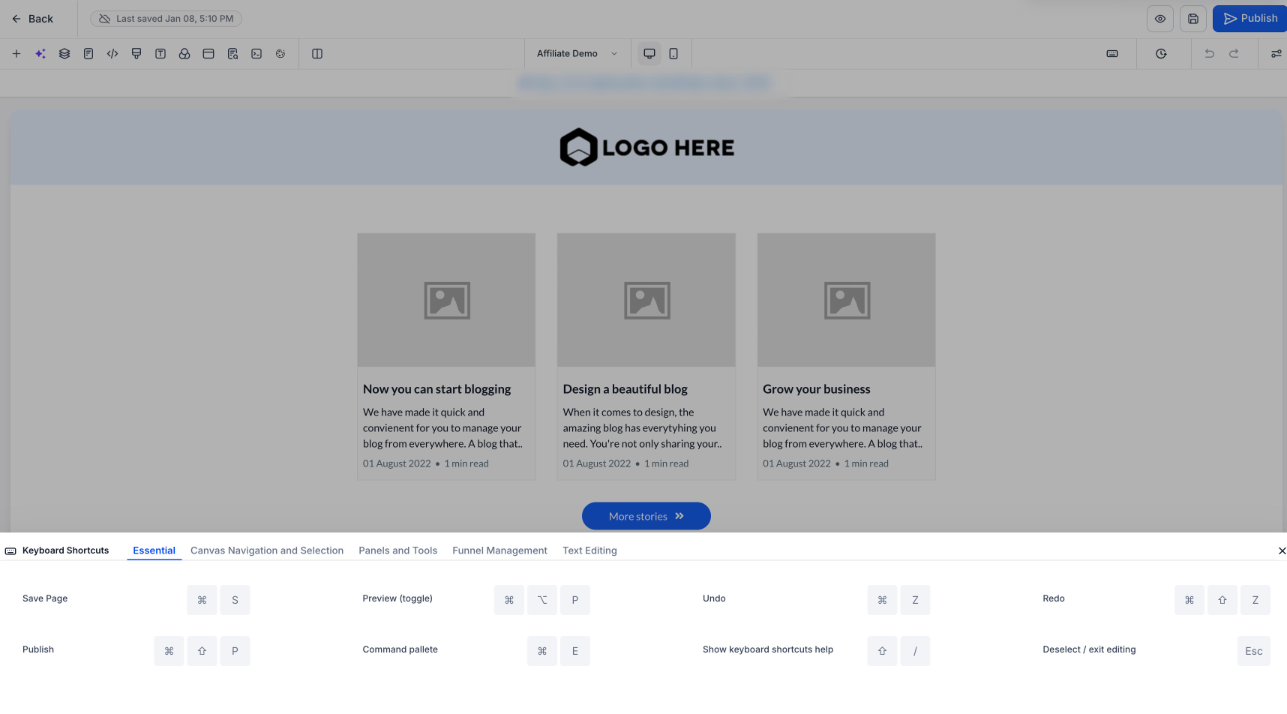
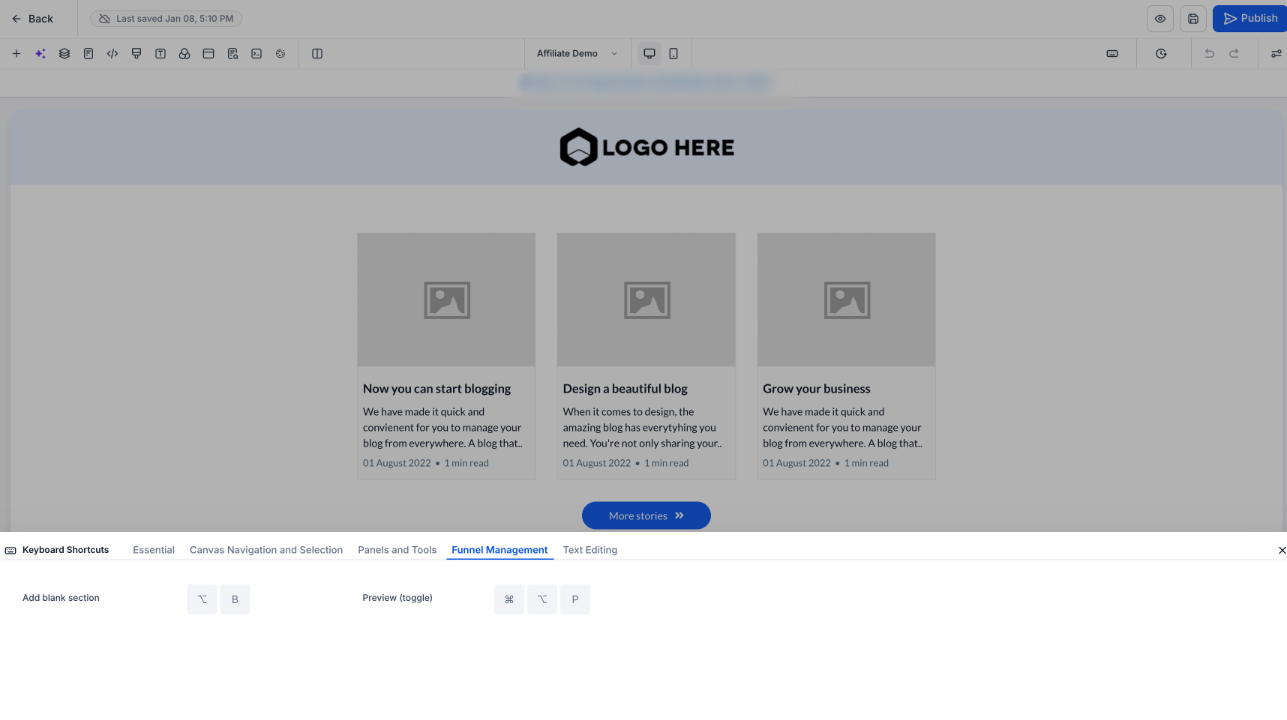
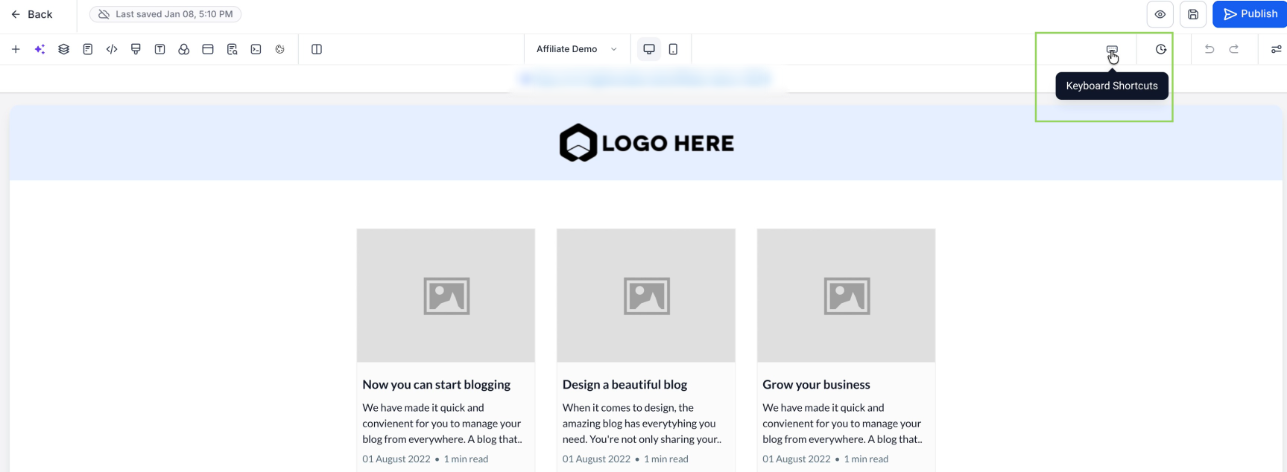
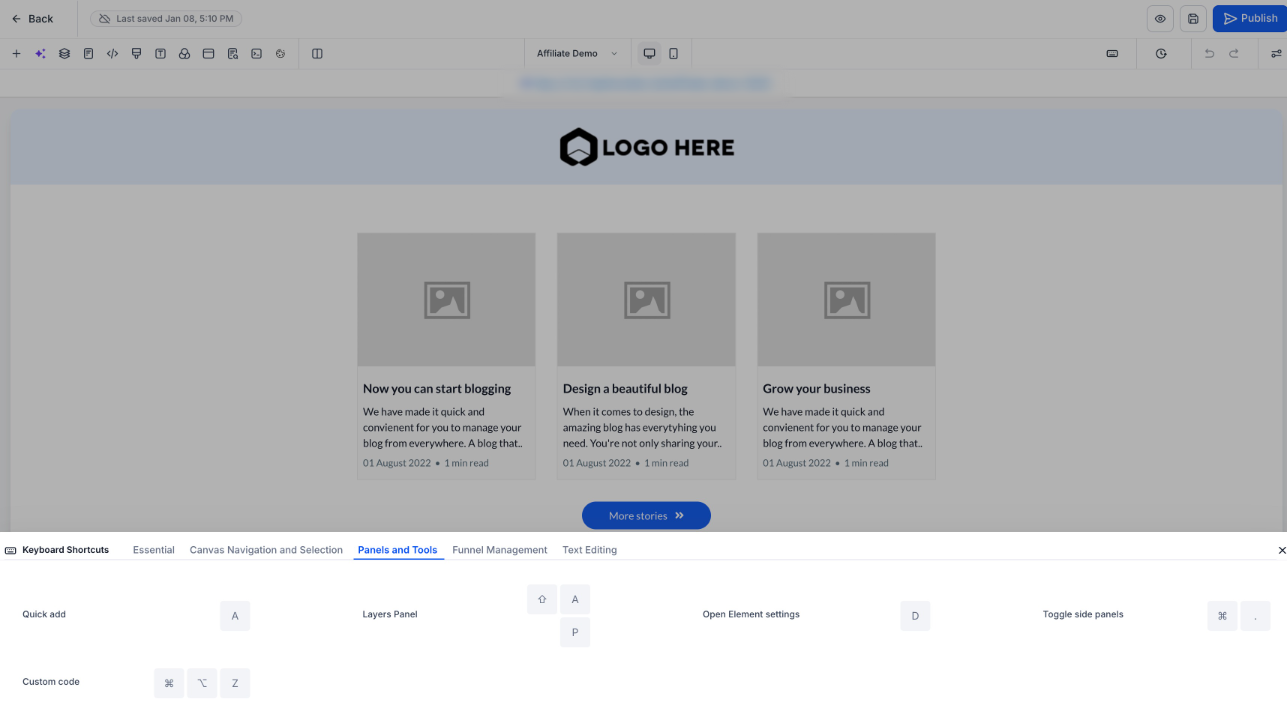
Keyboard shortcut support is now available across the Page Builder, enabling faster page creation and editing with minimal mouse interaction. Press Shift + / anytime in the Page Builder to view all available shortcuts.
Availability
Keyboard shortcuts work across all Page Builder experiences:
- Funnels
- Websites
- Webinars
- Stores
- Blogs
Notes
- Clone and Delete shortcuts work without restrictions in Funnels and Websites
- In other areas, existing behavior remains unchanged
What’s Faster Now
You can now use the keyboard to:
- Save, undo, redo, publish, and preview pages
- Navigate between elements, parent containers, and sections
- Open Layers, Settings, Quick Add, and Custom Code panels
- Add blank sections
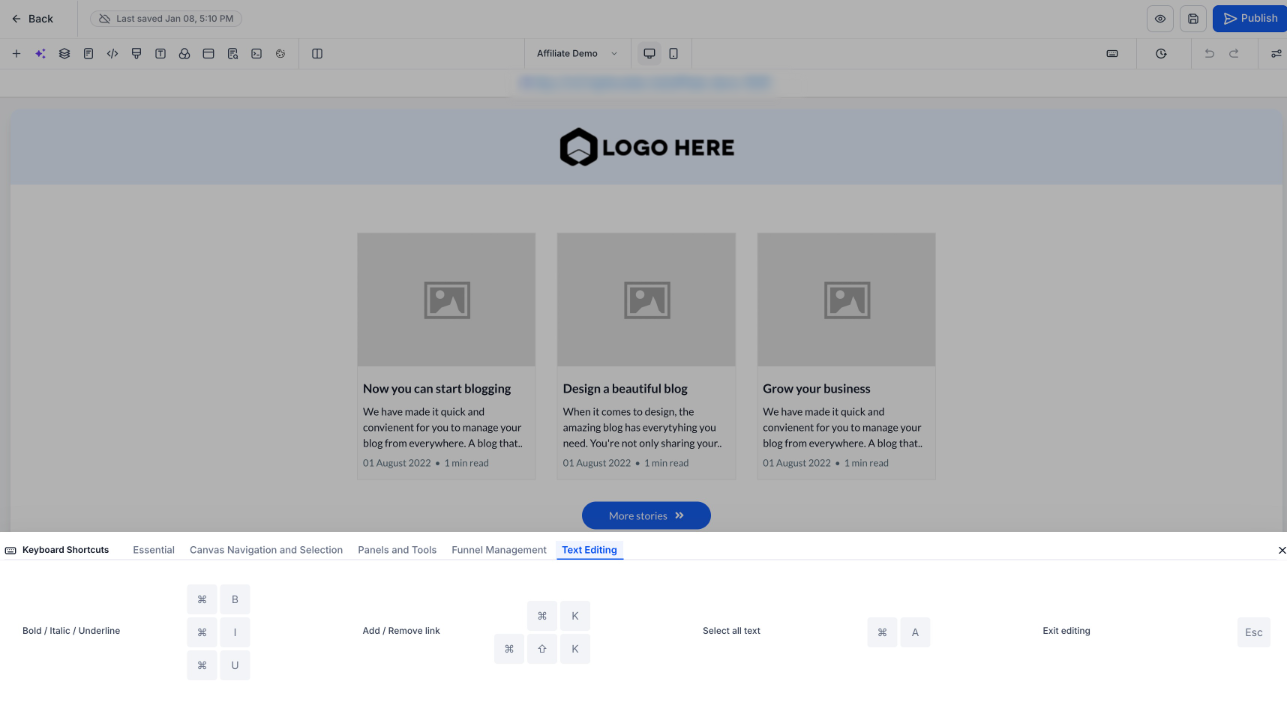
- Edit text using familiar shortcuts (bold, italic, links, add hyperlinks, and more)
Impact
- Faster page building and editing
- Improved precision when navigating complex layouts
- Reduced context switching and cognitive load
- No functional or behavioral changes to existing safeguards
Why This Matters
Keyboard shortcuts reduce repetitive actions and speed up workflows, especially for power users managing complex page structures, delivering a faster, more focused editing experience without changing how Page Builder works today.
If you want this adapted to in-app release notes, support docs, or a short changelog card, say the word.
Was this article helpful?
That’s Great!
Thank you for your feedback
Sorry! We couldn't be helpful
Thank you for your feedback
Feedback sent
We appreciate your effort and will try to fix the article